

Iconic WooCommerce Bundled Products v2.9.0
Mar
Iconic WooCommerce Bundled Products v2.9.0
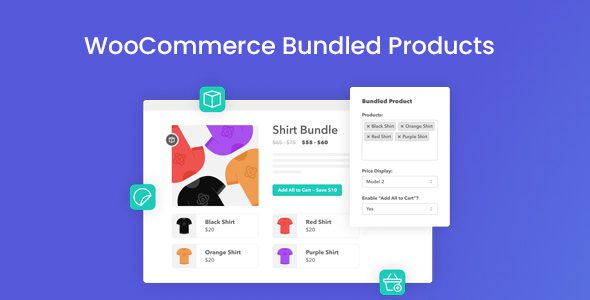
Add WooCommerce bundles to your online store with WooCommerce Bundled Products to help increase the Average Order Value with Product Bundles. The Iconic WooCommerce Bundled Products plugin to make it easy for your customers to add items to their cart all from a single product page.
Premium WordPress Plugins. Join membership for Free Download
Product Description
- Product Type: OSS
- File: Complete
- Licenses : Unlimited GNU (GPL versions 2+)
- Versions: Premium
- Usage: Unlimited Domain
Features
- Product bundles
- Add all to cart
- Shop the look
- Price display options
- Any product type
- Discounts and custom prices
- Built for Speed
- Easy to Use
- Translation Ready
More Incredible Features
WooCommerce Bundled Products also includes all of the following features
- Add Product Bundles
- Product Page Customization
- Inventory Management
- Price Display
- Product Type
- Add to Cart
- Shop the Look
- Offer Discounts
- Integrated
Files To Download
| File | |
|---|---|
| iconic-woo-bundled-products_v2.9.0.zip |
- Version 2.9.0
- Release Date 27-02-2025
- License & Support BUY
- File Size 410.28 KB
- File Count 1
- Download 3
- Create Date 03-03-2025
- Last Updated 15-02-2026
Downloading Instruction
The Iconic WooCommerce Bundled Products v2.9.0 plugin can be downloded as a compressed file (zip, rar format).
File(s) you just downloaded can be uploaded directly to your server or WordPress, though some files may require extraction before installation. We ensure that all files are clean and safe, free from malware or viruses. Please remember that the downloaded file do not come with official support or updates. Using the official version is always recommended for security and stability.
Just click on the link (blue / green button in color) to download it to your computer.
How to install WordPress Plugin (Manually)
- Download the Iconic WooCommerce Bundled Products v2.9.0 files from our website
- From your WordPress dashboard, choose Plugins > Add New.
- Click Choose File, locate the plugin .zip file, then click Install Now.
- After the installation is complete, click Activate Plugin.
- Return to the WordPress dashboard and click the Installed Plugin. Find the plugins.
Disclaimer
- The item listed in memsuka.com listing is developed by third-party developer.
- We are not associated with nor is endorsed by any of the third party developers or trademark owners mentioned in this site. Any mention of these companies is merely for understanding of clients not misled as to the original source of the product.
- We do not offer any additional services from developers, such as product customization or license keys.
- We would always encourage clients to purchase direct from developer in case they are interested in premium plugin/theme related support & official updates.
- We are Ads free download services.
- The downloaded product:
- is intended for testing purposes only.
- 100% Free From Viruses & Free From Malware
- for Unlimited Use
