

Porto 7.7.2 – Multipurpose & WooCommerce Theme

Porto is extremely customizable, easy to use and fully responsive. Suitable for every type of business, portfolio, blog and ecommerce sites. Porto guarantees super fast performance which is essential for your business & Woocommerce shops.
Premium WordPress Themes. Join membership for Free Download
Product Description
- Product Type: OSS
- File: Complete
- Versions: Premium
- Usage: Unlimited Domain
- Licenses :
GNU General Public License (GPL) version 3. We recommend you to read this!
License
This is an Open source software (OSS) developed by third-party developers and redistributed by WpKitZone.com free of charge to all the subscribers of this website; you can use as it is or modify it, and/or redistribute it under the terms of the GNU General Public License as published by the Free Software Foundation; either version 3 of the License, or (at your option) any later version.
This OSS program is distributed in hope that it will be useful, but WITHOUT ANY WARRANTY; without even the implied warranty of MERCHANTABILITY or FITNESS FOR A PARTICULAR PURPOSE. See the GNU General Public License for more details.
You should have received a copy of the GNU General Public License along with this program; if not then write to the Free Software Foundation, Inc., 51 Franklin St, Fifth Floor, Boston, MA 02110-1301 USA. or use the link to download GNU License.
GNU General Public License (GPL) version 3 (#GNUGPL) (#GNUGPLv3)
This is the latest version of the GNU GPL: a free software license, and a copyleft license.
Requirements
- WordPress 5.8.x or higher
- WooCommerce 6.x.x or higher
- Compatible With Contact Form 7, Elementor, WooCommerce, WPBakery Page Builder, WPML, Bootstrap
- For best performance we recommend using PHP 7.2 or higher.
- MySQL 5.6 or greater
Porto Theme WordPress Features
- Ajax filtering in shop and product archive pages
- Wide / Full / Boxed Layout
- Unlimited Colors & Layouts
- Visual Composer
- FAST Support & Updates
- Plenty of Widgets
- Valid HTML5 code
- WordPress Multisite (WPMU) Tested and Approved
- Multiple Page Styles
- Elegant animations
- Shop pages
- WPML Support
- SEO Optimized
- Mega menu and 3-level drop-down menu;
- Visual Composer is highly optimized
- Powerful Speed Optimization Tool
- 4 different portfolio types
- Share icons on project and product pages
- 33 custom elements for Visual Composer
- 3 different contact page layouts
- Typography page
- 20 different headers
- Cross-browser compatibility
- 5 different breadcrumbs
- Additional pages
- Multipurpose design
- One Page template
- Lightbox
- Switch on/off sticky header option
- WooCommerce Compatible
- Contact and newsletter forms
- Install Demo content with One-Click
- Woocommerce Catalog Mode
- RTL Ready
- Bunch of Useful Demos
- Twitter Feed Widget
- Grid / List view
- Social Sharing Features
- Custom Font Control
- 30 unique homepage layouts
- Google web fonts
- Wishlist, Ajax Search, Filtering & Sorting
- Powerful Page options
- 4different blog types
- Responsive Design
- Revolution Slider
- 6 extra layouts of the slider area
- Child Theme Ready
Changelog
History
Version 7.6.0 (7.15.2025)
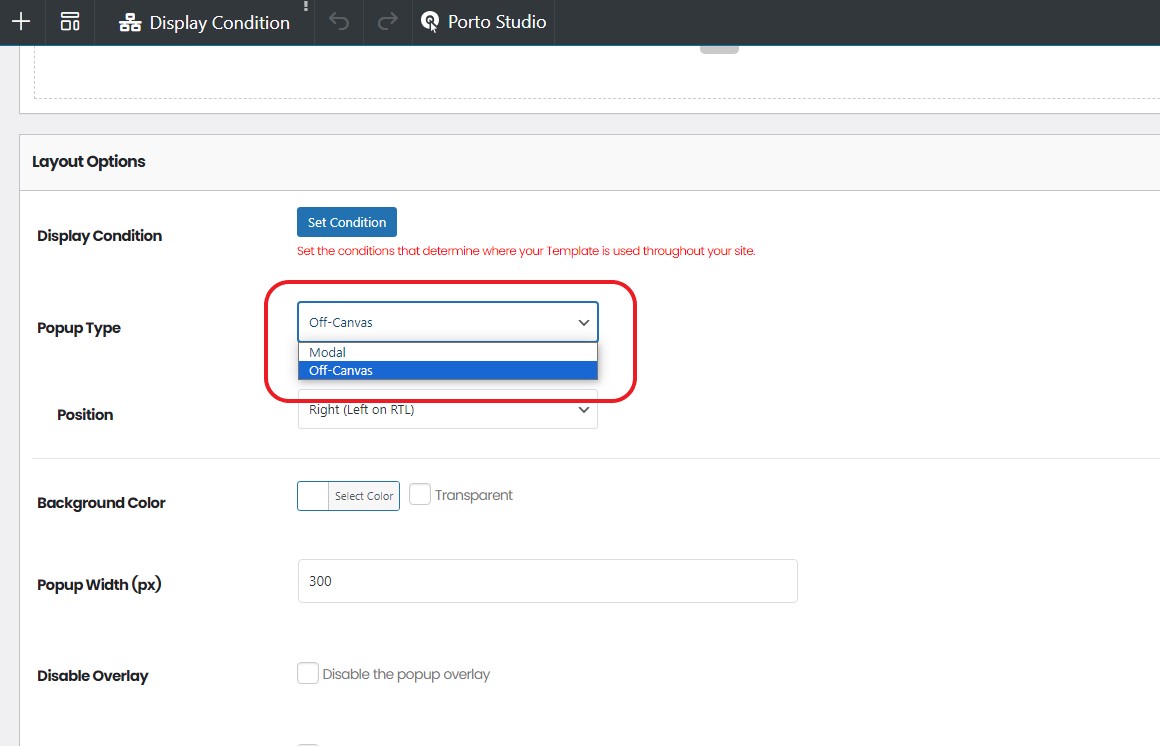
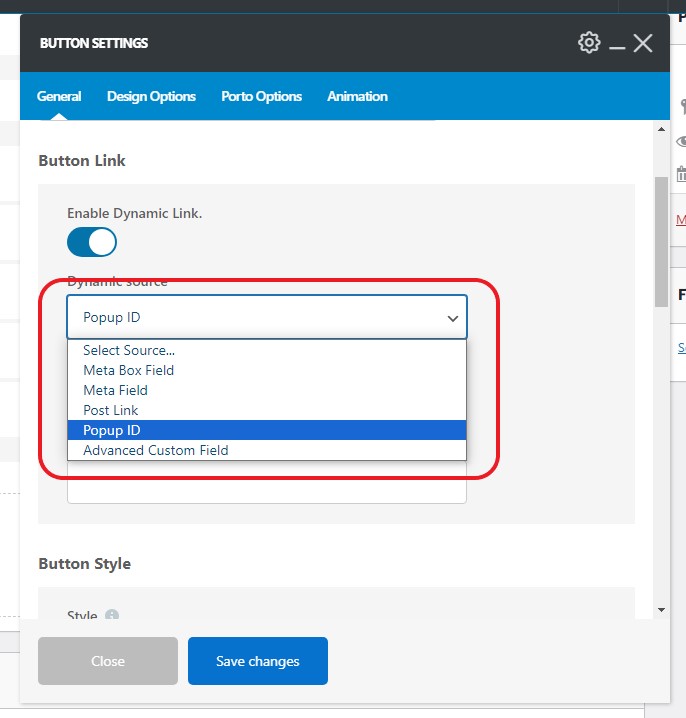
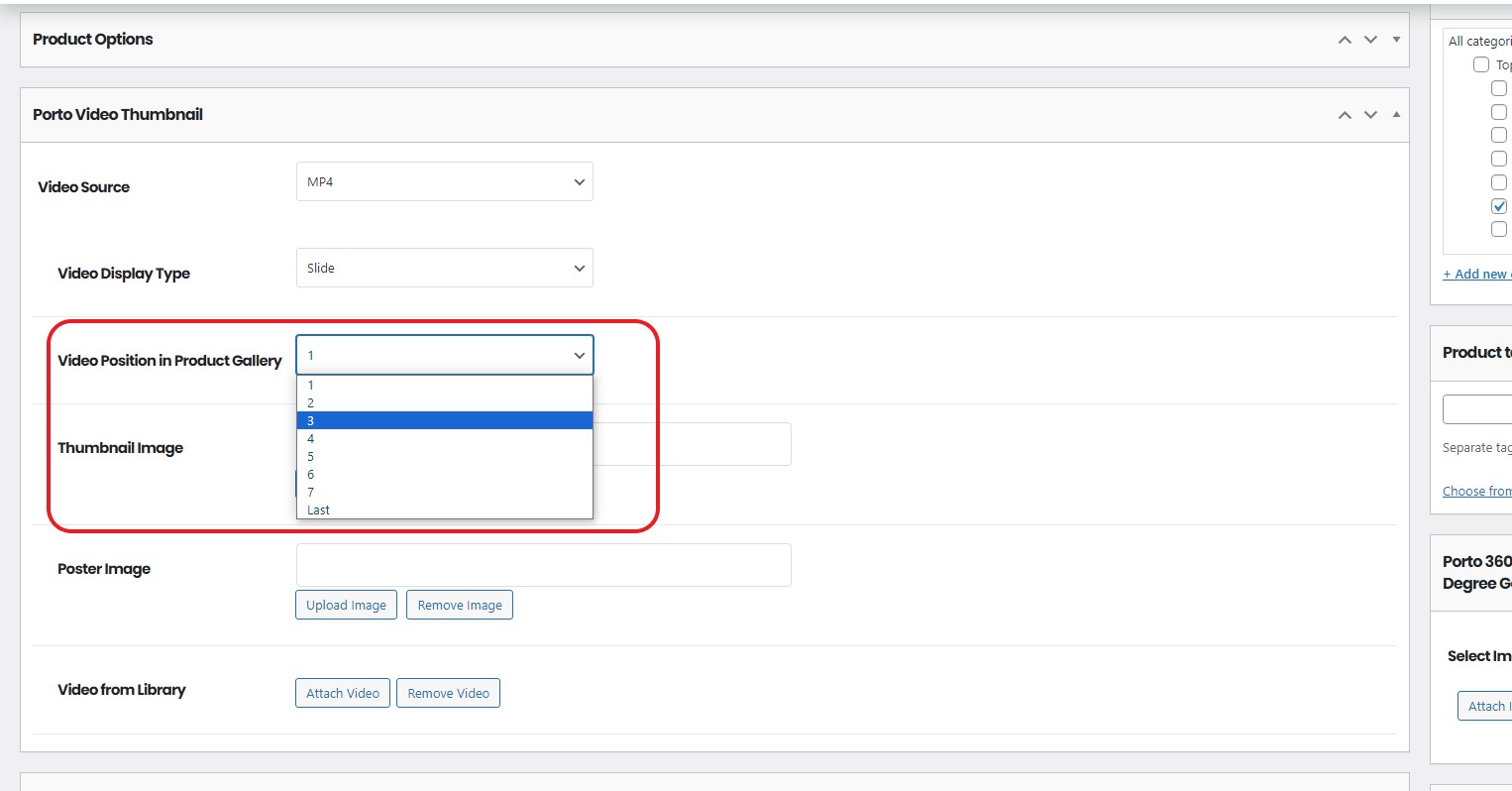
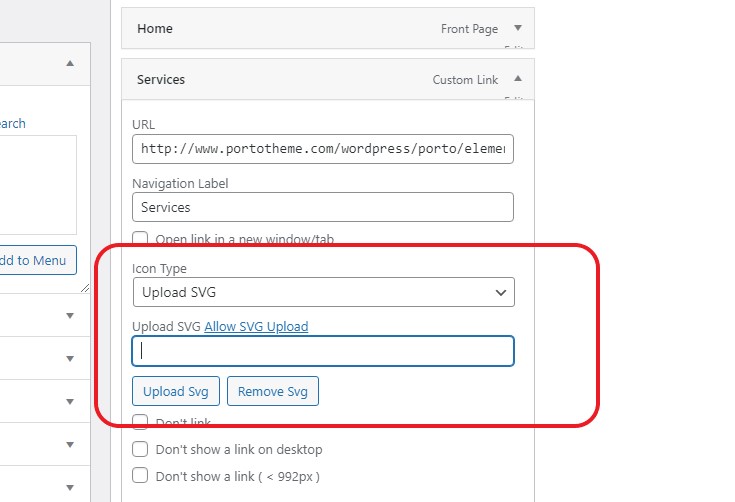
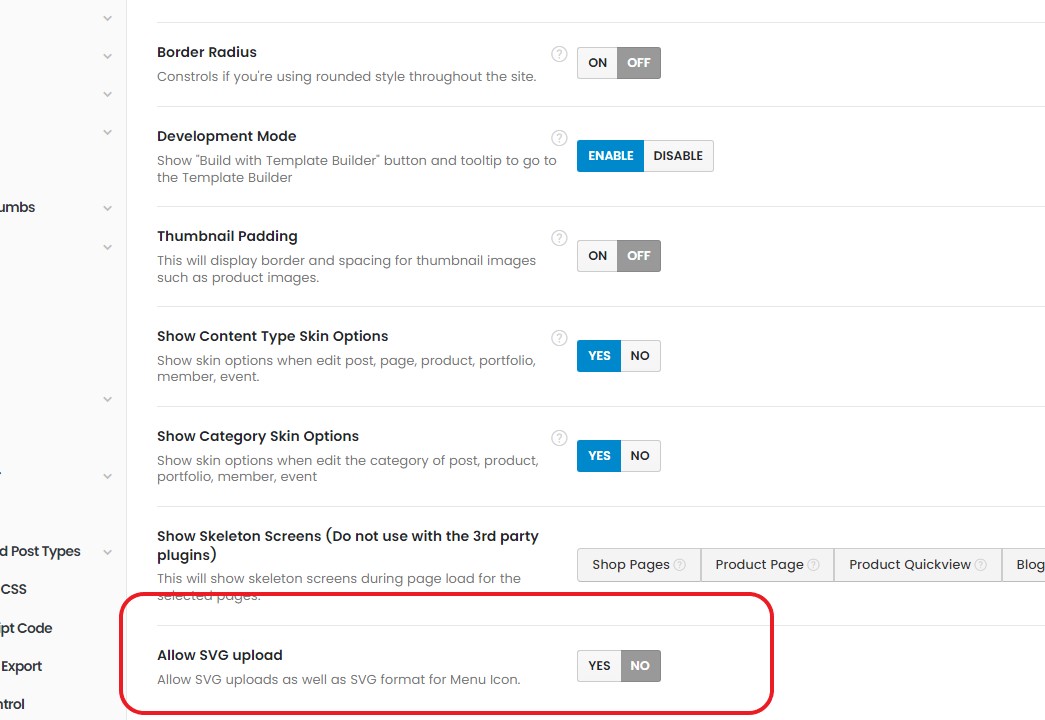
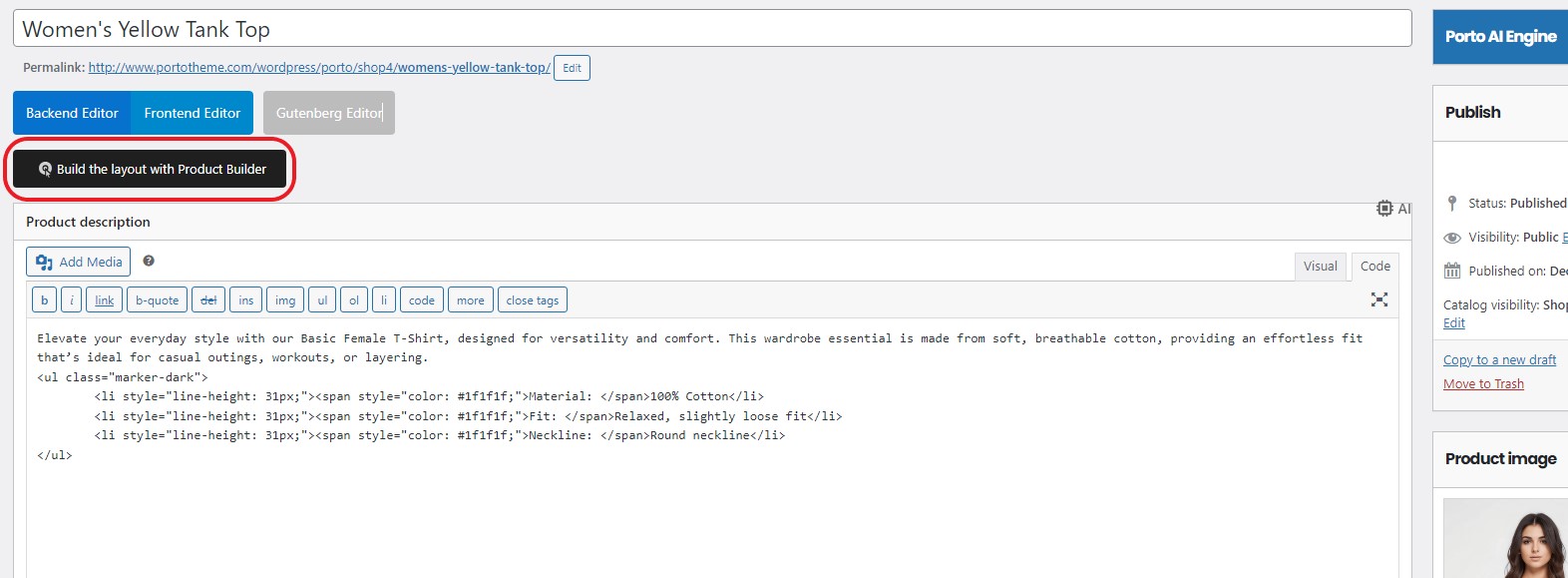
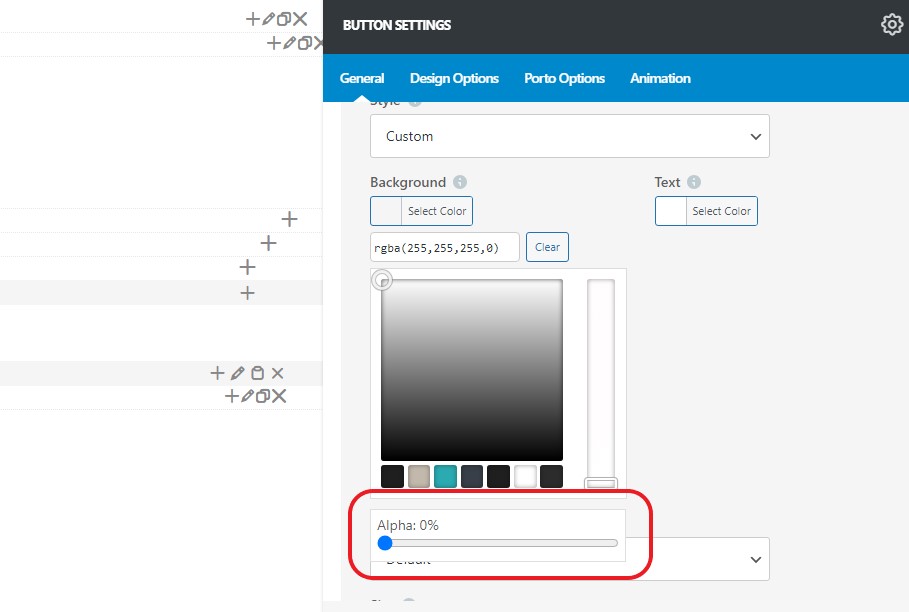
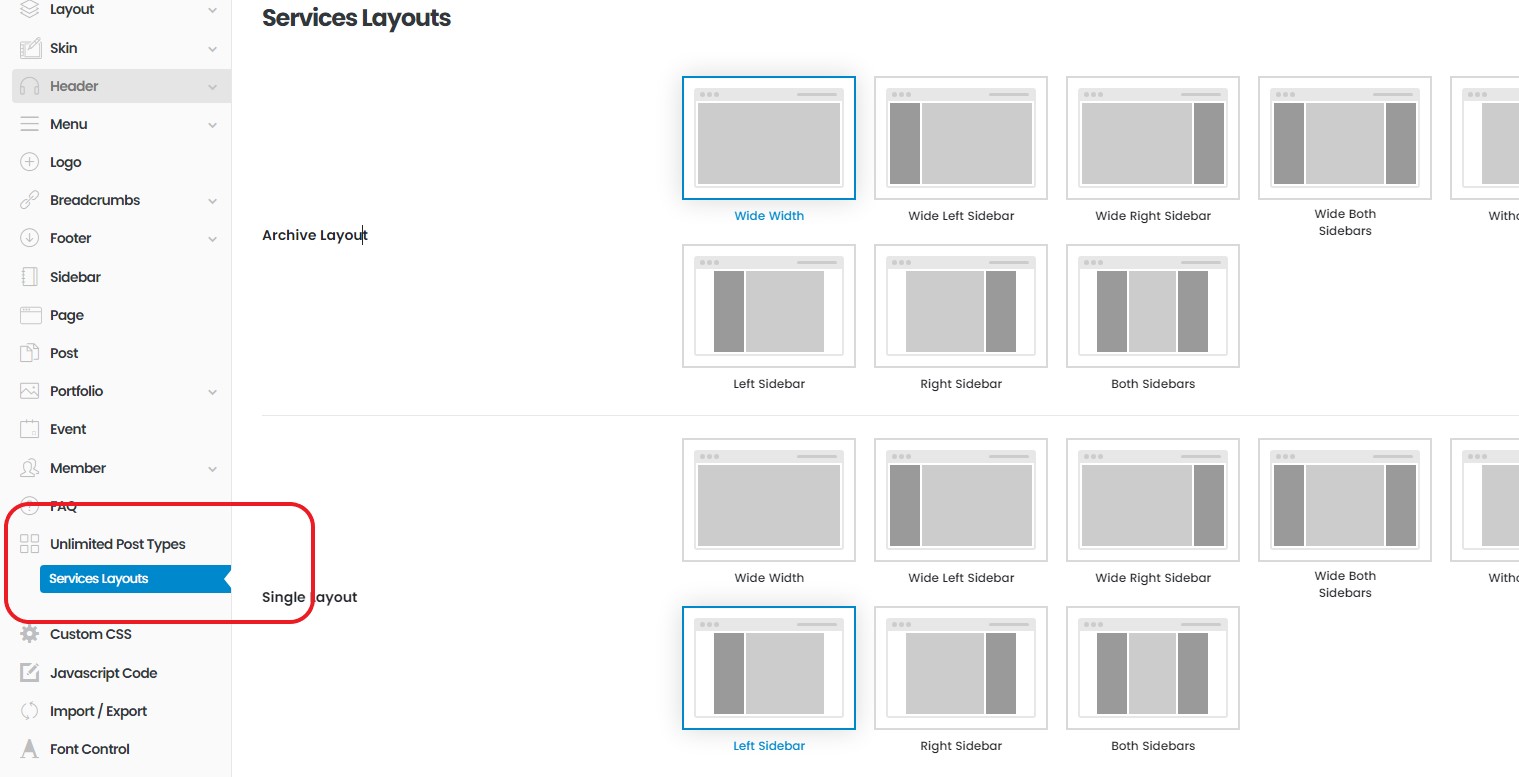
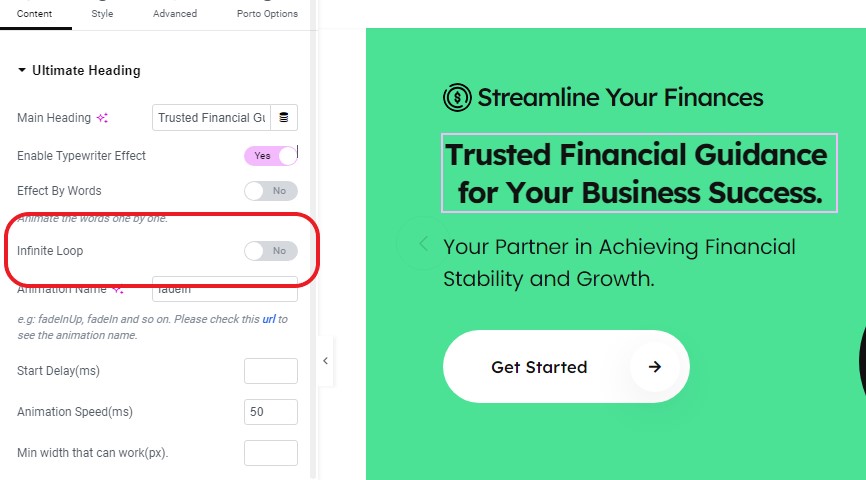
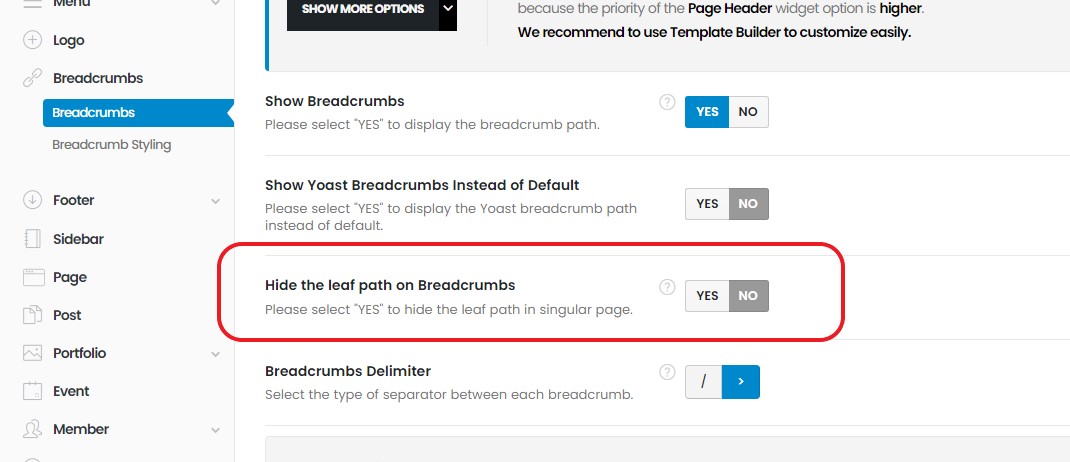
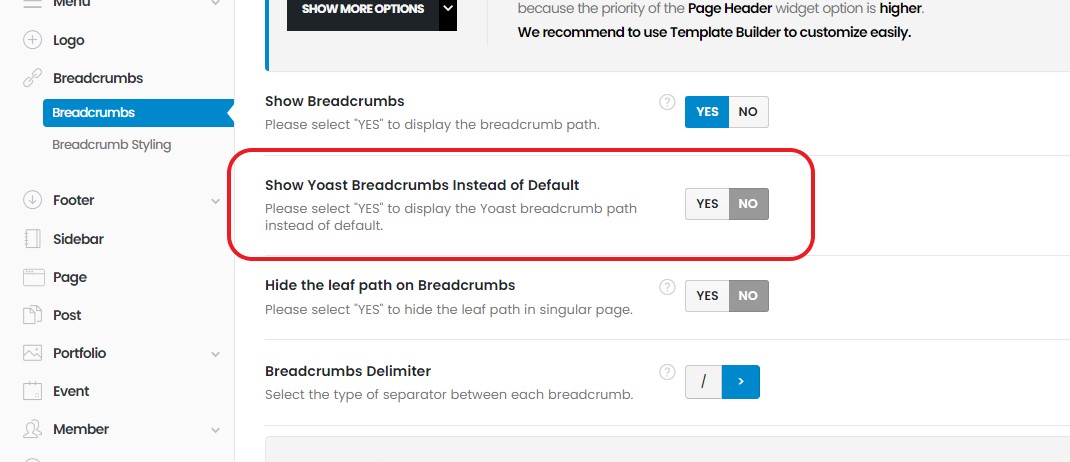
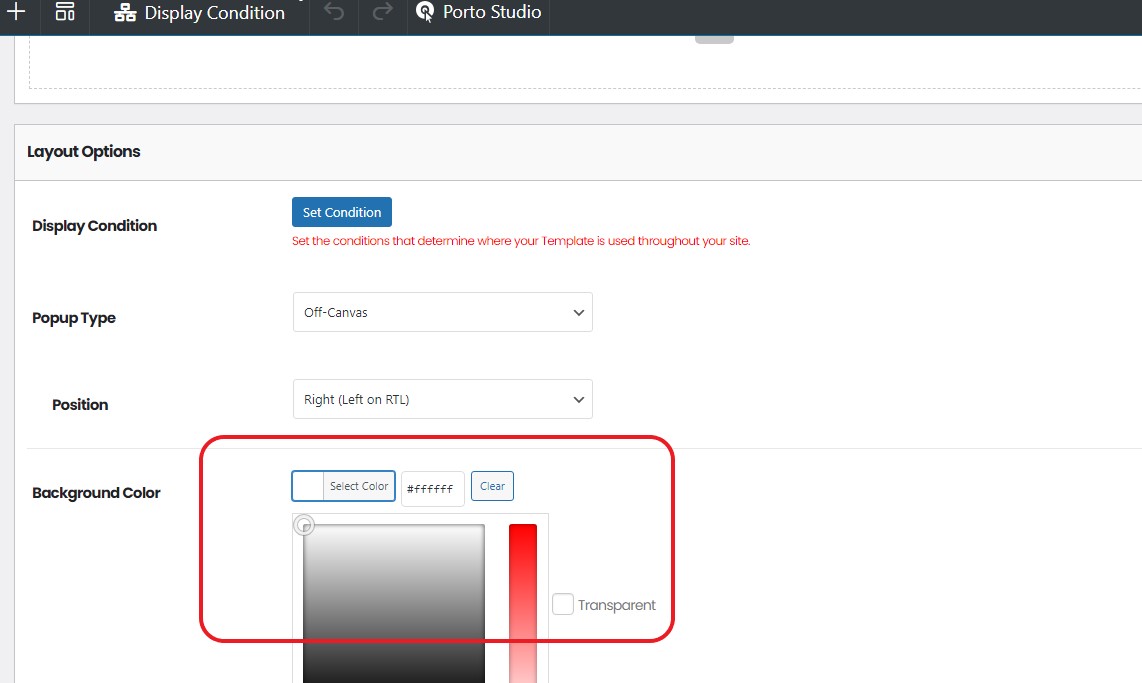
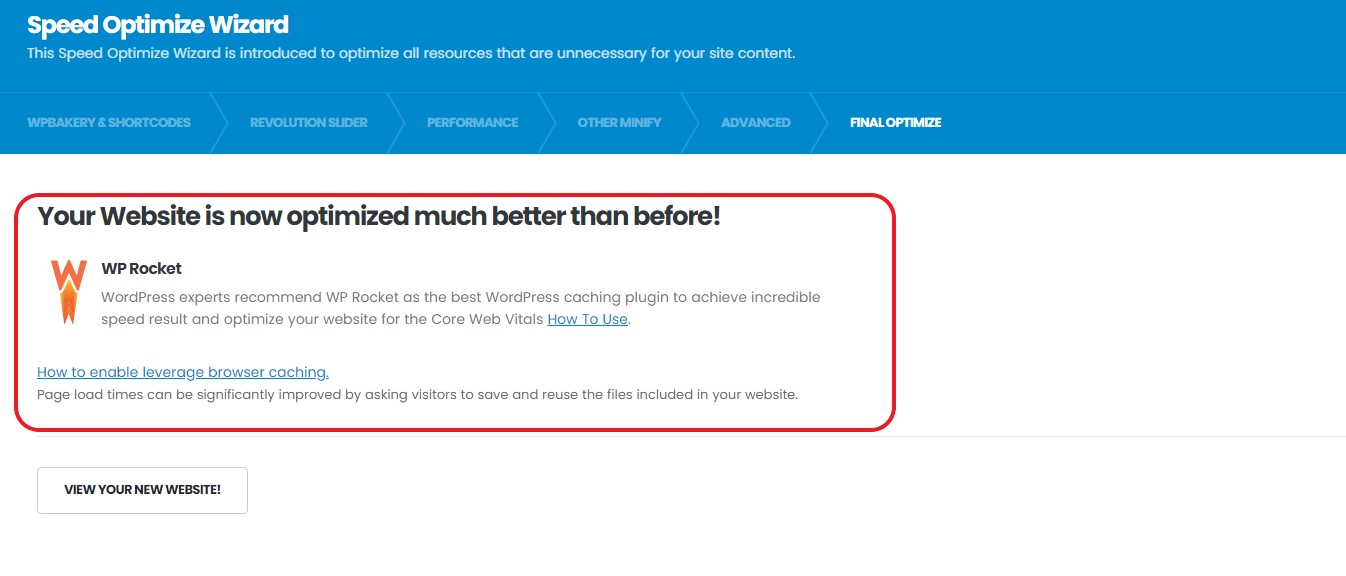
We have released Porto WordPress Theme 7.6 on July 14, 2025. We've developed with a focus on improving the accessibility of all demos to exceed 95 compliance. + Added: Improved demo accessibility to over score 90 Accessibility issue in post small type Accessibility issue in product loop Accessibility issue in product review widget wrapper Accessibility issue in portfolio category filter on sidebar Accessibility issue in post category filter on sidebar Accessibility issue in member category filter on sidebar Accessibility issue in faq taxonomy filter on sidebar Accessibility issue in Easy-responsive Tab Accessibility issue in dynamic link of button Accessibility issue in countdown on single product or product loop Accessibility issue in dynamic link of heading Accessibility issue in Post format Accessibility issue in Product Filters element Accessibility issue in Featured Image Type Builder element + Added: Compatibility with WooCommerce plugin v10.0 + Added: ImplementedOff-Canvas functioninPopup Builderand integrated it + Added:Dynamic Popup Linkfunctionality for Elementor and WPBakery + Added:Video Orderoption to Product Video Thumbnail feature + Added:SVG functioninto Main Menu element + Added:Allow SVG Uploadoption within Theme Options + Added:Build with Single Builderbutton on each edit post page + Added: SVG function into Accordion Menu and Sidebar Menu elements + Added: SVG related options in Menu Element feature + Added:Transparency functionfor WPBakery Color Picker + Added:ACF Custom Post Layoutoption within Theme Options + Added:Loop optionto WPB Custom Heading Widget, WPB Ultimate Heading Widget, and Elementor Ultimate Heading Widget + Added: Cart Errors WooCommerce template + Added: Content Review Widget template + Added:Breadcrumbs Leaf Pathoption on Theme Options to hide the leaf path in single page + Added:Use Yoast Breadcrumb instead of Default optionwithin Theme Options + Added: Any Field on Product Visibility of Posts Grid Widget feature + Added: OrderBy option to Search Form Element feature + Added:Popup Background Coloroption in Popup Builder + Added: Split sticky-nav css file for reduced main theme css resources + Added: Helper class align-middle to Gutenberg editor + Added: Assigned ID for easy identification on AjaxSelect2 + Added: RecommendedWP Rocket pluginon Optimize Wizard + Added: Ensured Compatibility with Redux Framework and Yoast Breadcrumbs + Added: Excerpt field in Member, Event post types + Added: 10 Mega menu Studio Blocks - Removed: Eliminated all -webkit- prefix on stylesheets to reduce css resources - Removed: Removed Simple Line Icons for default use - Deprecated: WP Super Cache Compatibility - Updated: 6 demos using Elementor ContainerFashion Store – Shop 1Fashion Store – Shop 2Fashion Store – Shop 4Grocery Store – Shop 35Shop 46Shop 47- Updated: Intro Slider to include a parallax effectFashion Store – Shop 1Fashion Store – Shop 2Fashion Store – Shop 4- Updated: Automatically hide default breadcrumb when using page header block on Page Layout - Updated: Replaced Brand function in Shop47 with WooCommerce Default Brand functionality - Updated: Page Header element to use Yoast Breadcrumb instead of default breadcrumb - Updated: Placeholder image for products without images on add to cart popup - Updated: Changed SKU for matched attribute swatch functionality - Updated: Dynamic field function for buttons, headings, and countdowns using array custom fields - Updated: Optimized preload function to load only specific images on Homepage - Updated: Attribute table rendering for empty content - Updated: Demo import for SCF (Secure Custom Fields) Post Types - Updated: Demo import for SCF (Secure Custom Fields) Taxonomy - Updated: Demo import for PTU (Post Type Unlimitted) Taxonomy - Updated: Always select the image/color product attribute swatch by default - Updated: Lost password WooCommerce template layout - Updated: All product types(Type Builder) for responsiveness - Updated: 54 Porto Studio product types(Type Builder) for responsiveness - Updated: Revolution slider plugin to v6.7.35 - Fixed: Text-Domain Issue for WordPress 6.8 compatibility - Fixed: Demo import issue for Shop 49 category - Fixed: Demo import issue for product category image on page header - Fixed: Demo import issue for post type and taxonomy - Fixed: Ajax shop filter functionality issue - Fixed: Clone issue with 12 Type Builder widgets on Gutenberg Editor Woo Button Element Featured Image Element Porto Heading Woo Stock Woo Price Woo Content Woo Rating Element ... - Fixed: Zoom animation issue in Popup Builder - Fixed: Issue which featured image and other options didn't save in WPBakery Frontend Editor - Fixed: Mega menu broken style issue before site load - Fixed: Sticky Sidebar functionality issue - Fixed: RTL issue with close button style in Magnific Popup library - Fixed: Incorrect product title issue for add to cart popup - Fixed: PHP issue with sales popup - Fixed: Z-index issue between Sticky Cart Form and Side Header - Fixed: Shop toolbar exists issue for no products on Shop Horizontal 2 type - Fixed: Elementor Pro Compatibility issue on preview - Fixed: Double render issue for dynamic function - Fixed: Hid AI content generator for unnecessary post types - Fixed: Issue which responsive hide option didn't work well in Gutenberg preview - Fixed: Zoom icon issue for gallery or slider type on Featured Image Type Builder element - Fixed: Bottom spacing issue of carousel type on Featured Image Type Builder element - Fixed: Link color brightness issue of license warning - Fixed: Design issue with My Account Page on Shop 49 - Fixed: Design issue with Checkout Page on Shop 49
Version 7.5.4 (6.24.2025)
+ Added: Compatibility with WPBakery Page Builder plugin v8.5
- Fixed: Post content not editable in WPBakery frontend editor when using Single Builder
- Fixed: Carousel not initializing properply in the Elementor Tab Content
- Fixed: Minor PHP issue in porto/inc/admin/setup_wizard/setup_wizard.php
Version 7.5.3 (6.4.2025)
+ Added: Compatibility with WooCommerce v9.9
- Fixed: Heading tag rendering issue in excerpt element
- Fixed: Minor PHP issue in porto-functionality/builders/elements/type/views/featured-image.php
- Fixed: Optimized the rendering of product variations on catalog pages for variable products with a large number of variations
- Fixed: AJAX pagination not working properly when displaying products with specific product tags using the Porto Posts Grid element
Files To Download
| File | |
|---|---|
| porto_v7.7.2_package.zip |
- Version 7.7.2
- Release Date 12-09-2025
- License & Support BUY
- Download
- File Size 28.11 MB
- File Count 1
- Create Date 17-07-2025
- Last Updated 03-02-2026
Downloading Instruction
The Porto 7.7.2 – Multipurpose & WooCommerce Theme theme file can be downloded as a compressed file (zip, rar format).
File(s) you just downloaded can be uploaded directly to your server or WordPress, though some files may require extraction before installation. We ensure that all files are clean and safe, free from malware or viruses. Please remember that the downloaded file do not come with official support or updates. Using the official version is always recommended for security and stability.
Just click on the link (blue / green button in color) to download it to your computer.
Steps How to install WordPress Themes
- Download the Porto 7.7.2 – Multipurpose & WooCommerce Theme files from our website
- Extract the ZIP file (if required) to access the theme folder.
- Upload the theme via Appearance > Themes > Add New in WordPress.
- The Add New theme screen has a new option, Upload Theme
- The theme upload form is now open, click Choose File, select the theme zip file on your computer and click Install Now
- Activate the theme and install any required plugins.
- Use the one-click demo import feature to set up a ready-made layout.
- Customize your online store with theme settings and page builders.
Disclaimer
- The item listed in memsuka.com listing is developed by third-party developer.
- We are not associated with nor is endorsed by any of the third party developers or trademark owners mentioned in this site. Any mention of these companies is merely for understanding of clients not misled as to the original source of the product.
- We do not offer any additional services from developers, such as product customization or license keys.
- We would always encourage clients to purchase direct from developer in case they are interested in premium plugin/theme related support & official updates.
- We are Ads free download services.
- The downloaded product:
- is intended for testing purposes only.
- 100% Free From Viruses & Free From Malware
- for Unlimited Use