

WHMCS 8.13.1 Web Hosting Platform
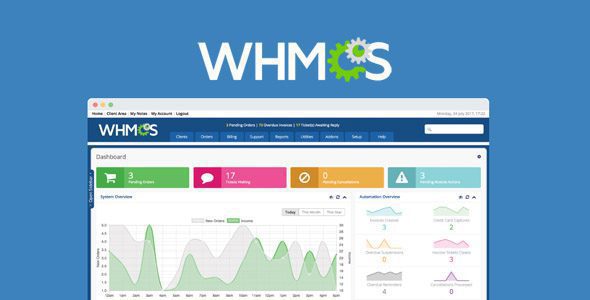
WHMCS is Web Hosting Billing & Automation Platform. Web Hosting Automation Made Easy.
Let WHMCS automate your business Simplify and automate daily tasks and operations with the #1 choice in Web Hosting Automation. It features all the tools you need to start a web hosting business today.
Premium PHP Scripts. Join membership for Free Download
Product Description
- Product Type: OSS
- File: Complete
- Versions: Premium
- Usage: Unlimited Domain
- License: GNU General Public License v3.0 (or later)
- License URI: https://www.gnu.org/licenses/gpl-3.0.html
- Licenses :
GNU General Public License (GPL) version 3. We recommend you to read this!
License
This is an Open source software (OSS) developed by third-party developers and redistributed by WpKitZone.com free of charge to all the subscribers of this website; you can use as it is or modify it, and/or redistribute it under the terms of the GNU General Public License as published by the Free Software Foundation; either version 3 of the License, or (at your option) any later version.
This OSS program is distributed in hope that it will be useful, but WITHOUT ANY WARRANTY; without even the implied warranty of MERCHANTABILITY or FITNESS FOR A PARTICULAR PURPOSE. See the GNU General Public License for more details.
You should have received a copy of the GNU General Public License along with this program; if not then write to the Free Software Foundation, Inc., 51 Franklin St, Fifth Floor, Boston, MA 02110-1301 USA. or use the link to download GNU License.
GNU General Public License (GPL) version 3 (#GNUGPL) (#GNUGPLv3)
This is the latest version of the GNU GPL: a free software license, and a copyleft license.
Requirements
- Linux OS
- Server: Apache 2.x
- PHP 7.2, 7.3, 7.4, 8.1, 8.2, or 8.3
- ionCube Loader: 14.4.0 or higher (PHP 8.3)
- PHP Extensions:
- cURL 7.36 or higher with SSL
- GD2 Image Library
- IMAP
- ionCube Loader (see below)
- JSON
- PDO
- PDO_MySQL
- Reflection
- XML
Scripts Features
- WHMCS takes care of automating things so you don’t have to, saving you valuable time and money.
- Integrated with all the leading web hosting control panels and domain registrars for automatic provisioning and management.
- Sending invoices, collecting payments, taxes, reminders and more are all a thing of the past with WHMCS.
- Integrated support tools give you a client portal complete with ticketing, knowledgebase, downloads and more.
- Modular, extensible, well documented API’s and ORM all make developing with and customising WHMCS easy.
- WHMCS is a secure, dependable and scalable solution designed for businesses of all sizes and backed by an awesome support team.
How to install & use the scripts
To start using WHMCS, you will need to install it on your server. You may need help from your hosting provider or system administrator to do this.
Refer to the WHMCS documentation page for information on installation services and how to configure the software.
To install the PHP Laravel Software:
1. Log in to your cPanel account.
2. Go to cPanel's File Manager interface (Files >> File Manager).
3. Navigate to the public_html directory by double-clicking on the folder icon.
4. Click Upload.
5. On the next screen, choose Select File.
6. Browse to the .zip file and click Select File.
7. When the .zip file is uploaded, click Go Back to "/home/username/public_html". You will see the newly-uploaded .zip file in the public_html directory.
8. Right-click the .zip file and choose Extract. The system will prompt you for a destination.
9. Choose a destination, and then click Extract File(s). In this example, we're extracting it to the public_html folder.
10. Rename the configuration.php.new file in the folder to configuration.php.
Creating the Database
Next, you will need to create the MySQL® database to use for the WHMCS installation.
To do this:
1. In cPanel, go to the MySQL Database Wizard interface (Databases >> MySQL Database Wizard). This interface will guide you through the process of creating the my_app database.
2. Use the interface to choose a database name, username, and password, and to set permissions.
3. When you reach the Privileges section, choose All Privileges.
4. In a separate browser tab, go to www.example.com/mydir/install/, replacing example.com with your website address.
5. Read and click Agree for the End User License Agreement.
6. Follow the instructions in each step of the installation process to provide your database information, license key, and other information.
7. To finish, click Complete Setup.
8. When you see the Installation Completion page, remove the /install directory from your server. To do this, right-click the /install folder in cPanel's File Manager interface and choose Delete.
Changelog
History
== 8.13 == Most Recent Release: 2025-05-08
Anticipated End-of-Life Date: 2026-05-31
Introduced manual user password resets, support for PHP 8.3, SocialBee in WHMCS Marketconnect, additional scheduled actions for support tickets, detailed invoice logging, and a new Getting Started Wizard experience.
== 8.12 ==
Most Recent Release: 2025-01-23
Anticipated End-of-Life Date: 2026-01-31
introduced scheduled actions and pinning for support tickets, the option to send invitations to new admins, analytics tracking with Mixpanel®, and improvements to the premade promotions for MarketConnect SSL certificate sales.
Files To Download
| File | |
|---|---|
| WHMCS 8.13.1 Web Hosting Platform |
- Version 8.13.1
- Release Date 08-05-2025
- License & Support BUY
- File Size 146.19 MB
- File Count 1
- Download 14
- Create Date 22-05-2025
- Last Updated 25-01-2026
Downloading Instruction
The WHMCS 8.13.1 Web Hosting Platform PHP Script file(s) can be downloaded as a compressed file (zip, rar format).
File(s) you just downloaded can be uploaded directly to your server or WordPress, though some files may require extraction before installation. We ensure that all files are clean and safe, free from malware or viruses. Please remember that the downloaded file do not come with official support or updates. Using the official version is always recommended for security and stability.
Just click on the link (blue / green button in color) to download it to your computer.
Disclaimer
- The item listed in memsuka.com listing is developed by third-party developer.
- We are not associated with nor is endorsed by any of the third party developers or trademark owners mentioned in this site. Any mention of these companies is merely for understanding of clients not misled as to the original source of the product.
- We do not offer any additional services from developers, such as product customization or license keys.
- We would always encourage clients to purchase direct from developer in case they are interested in premium plugin/theme related support & official updates.
- We are Ads free download services.
- The downloaded product:
- is intended for testing purposes only.
- 100% Free From Viruses & Free From Malware
- for Unlimited Use