

WooCommerce Upload Files 87.9
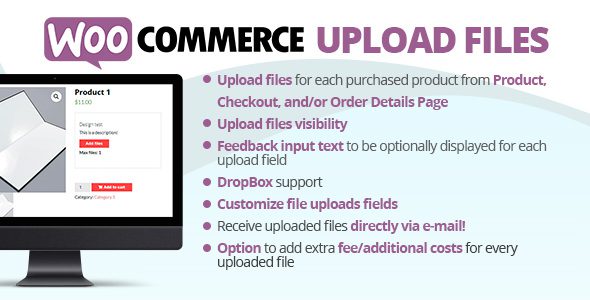
WooCommerce Upload Files plugin is the perfect solution for any online store that sells customizable or personalized products.
Upload any file any size from the product, cart, checkout, thank you and/or order details pages! Preview images, add additional costs, fees, and many more options!
Premium WordPress Plugins. Join membership for Free Download
WooCommerce Upload Files Features
- Product page uploads
- Individual products configurator
- Checkout, cart and order pages uploads
- Required filed option
- Field visibility according to user role
- Field visibility according to selected payment method
- Field positioning
- Multiple files for single upload field
- Multiple files and quantity selection
- Crop images before uploading
- Extra fees/Discount pre upload with special
- Customizable button texts
- WPML and upload fields texts
- Responsive fields display
- Shortcodes
- Image/Audio preview
- Upload summary feature
- Uploads counter
- Customer feedback text and disclaimer
- Upload Progress bar
- Bulk uploads delete
Changelog
History
= 87.9 - 26.07.25 =
* Minor improvements

= 87.8 - 26.05.25 =
* Minor improvements

= 87.7 - 26.05.25 =
* Minor improvements

= 87.6 - 23.05.25 =
* Minor improvements
= 87.5 - 20.05.25 =
* Fixed an issue related to the static preview images
= 87.4 - 17.05.25 =
* Fixed an issue due to the variation_id on order item meta table in some case was set to 0
= 87.3 - 13.05.25 =
* Fixed an issue due to upload were not properly associated to the orders
= 87.2 - 07.05.25 =
* Fixed an issue related to the templates
= 87.1 - 06.05.25 =
* Improved timeout management
* Improved the cancel upload process
= 87.0 - 03.05.25 =
* Added "wcuf_unique_cart_id_symbol" filter
* Added "wcuf_unique_cart_identifier_text" filter
Files To Download
| File | |
|---|---|
| WooCommerce Upload Files 87.9 |
- Version 87.9
- Release Date 22-05-2025
- License & Support BUY
- File Size 17.82 MB
- File Count 1
- Download 2
- Create Date 22-05-2025
- Last Updated 27-01-2026
Downloading Instruction
The WooCommerce Upload Files 87.9 plugin can be downloded as a compressed file (zip, rar format).
File(s) you just downloaded can be uploaded directly to your server or WordPress, though some files may require extraction before installation. We ensure that all files are clean and safe, free from malware or viruses. Please remember that the downloaded file do not come with official support or updates. Using the official version is always recommended for security and stability.
Just click on the link (blue / green button in color) to download it to your computer.
How to install WordPress Plugin (Manually)
- Download the WooCommerce Upload Files 87.9 files from our website
- From your WordPress dashboard, choose Plugins > Add New.
- Click Choose File, locate the plugin .zip file, then click Install Now.
- After the installation is complete, click Activate Plugin.
- Return to the WordPress dashboard and click the Installed Plugin. Find the plugins.
Disclaimer
- The item listed in memsuka.com listing is developed by third-party developer.
- We are not associated with nor is endorsed by any of the third party developers or trademark owners mentioned in this site. Any mention of these companies is merely for understanding of clients not misled as to the original source of the product.
- We do not offer any additional services from developers, such as product customization or license keys.
- We would always encourage clients to purchase direct from developer in case they are interested in premium plugin/theme related support & official updates.
- We are Ads free download services.
- The downloaded product:
- is intended for testing purposes only.
- 100% Free From Viruses & Free From Malware
- for Unlimited Use