

YITH Point of Sale for WooCommerce (POS) Premium 3.13.0
Apr
YITH Point of Sale for WooCommerce (POS) Premium 3.13.0
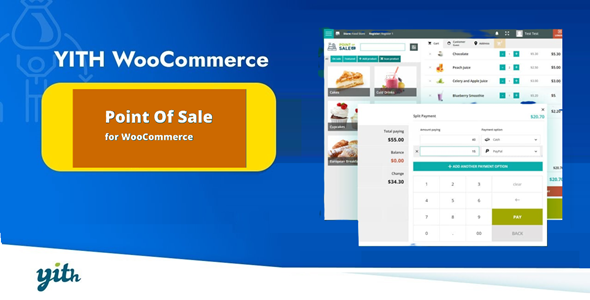
YITH Point of Sale for WooCommerce turn your WooCommerce installation into an easy to use and powerful cash register for each type of store or business. You can sync your store point of sale with orders, customers and product listings of your online shop and vice versa.
Premium WordPress Plugins. Join membership for Free Download
Product Description
- Product Type: OSS
- File: Complete
- Versions: Premium
- Usage: Unlimited Domain
- Licenses :
GNU General Public License (GPL) version 3. We recommend you to read this!
License
This is an Open source software (OSS) developed by third-party developers and redistributed by WpKitZone.com free of charge to all the subscribers of this website; you can use as it is or modify it, and/or redistribute it under the terms of the GNU General Public License as published by the Free Software Foundation; either version 3 of the License, or (at your option) any later version.
This OSS program is distributed in hope that it will be useful, but WITHOUT ANY WARRANTY; without even the implied warranty of MERCHANTABILITY or FITNESS FOR A PARTICULAR PURPOSE. See the GNU General Public License for more details.
You should have received a copy of the GNU General Public License along with this program; if not then write to the Free Software Foundation, Inc., 51 Franklin St, Fifth Floor, Boston, MA 02110-1301 USA. or use the link to download GNU License.
GNU General Public License (GPL) version 3 (#GNUGPL) (#GNUGPLv3)
This is the latest version of the GNU GPL: a free software license, and a copyleft license.
YITH Point of Sale for WooCommerce Features
- Create a store in few steps through the Wizard setup
- add billing information (store name and VAT), address, contact details and social networks
- enable/disable the Store
- add and enable/disable specific POS Registers
- check the status of Registers (closed/opened) and Cashiers currently logged in
- customize multiple receipt templates
- stock management on a product level for each store
- choose one or more Store Managers and Cashiers
- create new user accounts during the Store setup
- Create as many POS Registers as you wish
- enable/disable specific payment methods for each Register
- show all products or just selected products or categories for each Register
- show all products together or by category
- enable product barcode scanning
- assign specific Cashiers
- enable printed receipts
- choose one of custom receipt template
- enable the register closure report Mobile ready: save the POS page on your mobile device and open it as any other mobile app
- Customize the login page
- Upload a Store logo that will show up on the login page and in the Register screen
- Preset discount keys
- Customize the Register screen colours
- View and filter products
- Search products by title, SKU and barcode
- Activate the barcode scanner: just scan the barcode to add the product to the cart
- Add a new product from the Register scree
- Associate the current order to an existing user or register a new user account during the Register session
- Edit customer billing and shipping information before completing the payment
- Freeze and save carts and add notes on them. You’ll be able to retrieve them later and let the customer finalise the purchase
- Add cash in hand
- Register report
- View today’s profit of a POS register including login time, Cashiers logged in during the session, total cash in hand, total sales by payment method
- Register closure
Changelog
History
= 3.13.0 - Released on 24 April 2025 =
- New: support for WordPress 6.8
- Update: YITH plugin framework
- Fix: include discount description on order coupon item before removing it
- Fix: exclude products with no price set to be retrieved from the REST API when retrieving products in POS
= 3.12.0 - Released on 18 March 2025 =
- New: support for WooCommerce 9.8
- Tweak: fixed payment gateway names if the gateway use 'method_title' different by 'title'
- Update: YITH plugin framework
- Fix: prevent multiple order creation when processing the order payment by using the 'enter' key via the keyboard
= 3.11.0 - Released on 12 February 2025 =
- New: support for WooCommerce 9.7
- New: Portuguese (Brazil) translation
- Update: YITH plugin framework
= 3.10.0 - Released on 21 January 2025 =
- New: support for WooCommerce 9.6
- Update: YITH plugin framework
= 3.9.1 - Released on 8 January 2025 =
- Update: YITH plugin framework
- Fix: wrong user details shown on receipt
- Fix: user name shown in order details
- Fix: apply percentage discount coupons correctly
= 3.9.0 - Released on 2 January 2025 =
- New: support for WordPress 6.7
- New: support for WooCommerce 9.5
- Tweak: localized custom labels on receipt, to allow translating them with WPML String Translations
- Tweak: retrieve the customer.email if the customer.billing.email is empty
- Tweak: allow percentage coupons with 2 decimal digits
- Update: YITH plugin framework
- Dev: added new filter yith_pos_receipt_tax_label
= 3.8.0 - Released on 16 September 2024 =
- New: support for WooCommerce 9.3
- Update: YITH plugin framework
- Tweak: fixed price issue when creating new product on the fly and synchronizing it with WooCommerce
- Tweak: show loading status when creating a new product and synchronizing it with WooCommerce
- Dev: new filter 'yith_pos_allow_out_of_stock_condition_when_scanning'
= 3.7.0 - Released on 14 August 2024 =
- New: support for WooCommerce 9.2
- Update: YITH plugin framework
- Dev: new filter 'yith_pos_order_list_item_classes'
= 3.6.1 - Released on 19 July 2024 =
- Fix: numeric controller closed on any click
= 3.6.0 - Released on 17 July 2024 =
- New: support for WooCommerce 9.1
- New: support for WordPress 6.6
- Update: YITH plugin framework
- Fix: online orders showing in POS dashboard when HPOS is enabled
- Fix: reset category on add new product section
- Fix: background color for "go back" area on products list
- Fix: default Shipping Company field not showing on user profile creation
- Tweak: Show the decimal separator based on WooCommerce configuration
- Tweak: shown currency set in WooCommerce in the edit-price calculator in POS
- Tweak: close the calculator on edit price when pressing "Escape" button or on click outside the container
- Tweak: round value on edit price controller
- Tweak: show "Shipping" row in cart only if a shipping method is set
- Tweak: improved format input value with decimal separator in numeric input fields
- Tweak: added a context for "Shipping" and "Apply coupon" strings to let customer translate separately in two different points
- Tweak: show separator only when a description is set for discount (POS cart)
- Dev: new filter 'yith_pos_fee_options'
- Dev: new filter 'yith_pos_customer_shipping_fields'
- Dev: new filter 'yith_pos_discount_coupon_label'
= 3.5.0 - Released on 19 June 2024 =
- New: support for WooCommerce 9.0
- Update: YITH plugin framework
- Fix: online orders appear in POS dashboard when HPOS is enabled
Files To Download
| File | |
|---|---|
| yith-point-of-sale-for-woocommerce-premium_v3_13_0.zip |
- Version 3.13.0
- Release Date 24-04-2025
- License & Support BUY
- File Size 2.66 MB
- File Count 1
- Download 2
- Create Date 25-04-2025
- Last Updated 15-02-2026
Downloading Instruction
The YITH Point of Sale for WooCommerce (POS) Premium 3.13.0 plugin can be downloded as a compressed file (zip, rar format).
File(s) you just downloaded can be uploaded directly to your server or WordPress, though some files may require extraction before installation. We ensure that all files are clean and safe, free from malware or viruses. Please remember that the downloaded file do not come with official support or updates. Using the official version is always recommended for security and stability.
Just click on the link (blue / green button in color) to download it to your computer.
How to install WordPress Plugin (Manually)
- Download the YITH Point of Sale for WooCommerce (POS) Premium 3.13.0 files from our website
- From your WordPress dashboard, choose Plugins > Add New.
- Click Choose File, locate the plugin .zip file, then click Install Now.
- After the installation is complete, click Activate Plugin.
- Return to the WordPress dashboard and click the Installed Plugin. Find the plugins.
Disclaimer
- The item listed in memsuka.com listing is developed by third-party developer.
- We are not associated with nor is endorsed by any of the third party developers or trademark owners mentioned in this site. Any mention of these companies is merely for understanding of clients not misled as to the original source of the product.
- We do not offer any additional services from developers, such as product customization or license keys.
- We would always encourage clients to purchase direct from developer in case they are interested in premium plugin/theme related support & official updates.
- We are Ads free download services.
- The downloaded product:
- is intended for testing purposes only.
- 100% Free From Viruses & Free From Malware
- for Unlimited Use
