

YITH WooCommerce Request a Quote Premium 4.36.0
Aug
YITH WooCommerce Request a Quote Premium 4.36.0
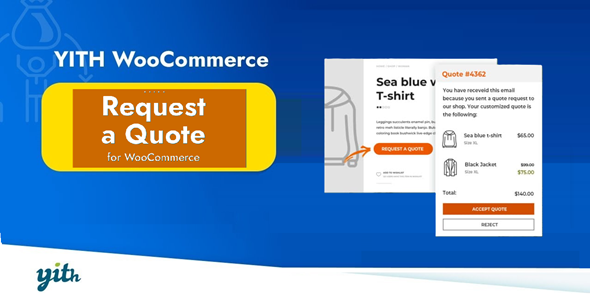
To encourage customers to contact the suppliers, the "Add to cart" buttons can also be hidden. With the help of this plugin, you may provide wholesalers and retailers competitive bespoke prices that are tailored to their needs while concealing prices. On your product pages, it will show a "Add to Quote" button or link. Consumers can fill out the form, add items to their list, and then obtain a personalized estimate.
In this manner, you can allow your clients to obtain a personalized quote for each item.
Product Description
- Product Type: OSS
- File: Complete
- Versions: Premium
- Usage: Unlimited Domain
- Licenses :
GNU General Public License (GPL) version 3. We recommend you to read this!
License
This is an Open source software (OSS) developed by third-party developers and redistributed by WpKitZone.com free of charge to all the subscribers of this website; you can use as it is or modify it, and/or redistribute it under the terms of the GNU General Public License as published by the Free Software Foundation; either version 3 of the License, or (at your option) any later version.
This OSS program is distributed in hope that it will be useful, but WITHOUT ANY WARRANTY; without even the implied warranty of MERCHANTABILITY or FITNESS FOR A PARTICULAR PURPOSE. See the GNU General Public License for more details.
You should have received a copy of the GNU General Public License along with this program; if not then write to the Free Software Foundation, Inc., 51 Franklin St, Fifth Floor, Boston, MA 02110-1301 USA. or use the link to download GNU License.
GNU General Public License (GPL) version 3 (#GNUGPL) (#GNUGPLv3)
This is the latest version of the GNU GPL: a free software license, and a copyleft license.
Premium Features
- Insert the request form on any page of your site
- Support to variable products: you can add specific product variations to the quote list
- Hide “Add to cart” button on all the products of your site
- Receive an email for each request sent by the user
- Override email template created by the plugin
- Select one or more products and send the quote request through a dedicated form available on the site
- Add the product to the quote request directly from product detail page
- Insert “Add to quote” button both in product detail page and on all the other archive pages where it appears
- Show “Add to quote” button only on specific products of the shop
- Hide “Add to quote” button only on some products of the shop
- Show “Add to quote” button only to registered users, to users with a specific WordPress role or to all users
- Hide price on all the products of your site
- Give users the possibility to request a quote also or only for “out of stock” products
- Customize the style and the colors of “Add to quote” button
- Choose the information to show for each product on the quote page and emailSelect the form used to send the quote request, choosing from
- Enable or force user registration through the quote request form
- Deny the possibility to send quote requests to unlogged users
- Show or hide “Accept” and “Reject” buttons in the quote email, in the PDF document and on “My Account” page
- Send an automatic email with the quote proposal
- Receive an automatic email when user accepts or rejects the proposal
- Send an email to remind the customer that a quote is about to expire
- Activate the automatic creation of the PDF document with the quote on “My Account” page
- Attach the PDF quote to the email sent to the user
- Set an expiration date to the quote proposal
- Edit user’s shipping and/or billing address when creating the quote
- Let users find the information they’ve added in the quote request on checkout page automatically
- Enable the autocomplete feature to let returning customers find their data automatically filled in the quote request form
- Prevent the users from editing their addresses when accepting the quote
- Prevent the user from choosing a shipping method different from the one specified in the request at the checkout
- Show the list of products selected by user in sidebar
- Enable the creation and automatic sending of the quote with the amount calculated on the original prices of the products
- Set an expiration date for the quote to expire automatically
- Enable the creation of the quote from admin side
- Set a specific payment method to pay for accepted quotes
- Integration with YITH WooCommerce SMS Notifications
- Receive an email with confirmation of quote request
- Receive an email with administrator’s quote proposal
- “Pay now” option to pay without adding billing/shipping info
- Convert cart content into quote request on checkout page
- Check the list of quotes on “My Account” page
- Accept or reject administrator’s proposal
- Leave feedback when rejecting a quote
- Download the PDF quote from “My Account” page
- Check all the quotes received before the registration to the site
Files To Download
| File | |
|---|---|
| yith-woocommerce-request-a-quote-premium_v4_36_0.zip |
- Version 4.36.0
- Release Date 05-08-2025
- License & Support BUY
- File Size 30.22 MB
- File Count 1
- Download 2
- Create Date 07-08-2025
- Last Updated 15-02-2026
Downloading Instruction
The YITH WooCommerce Request a Quote Premium 4.36.0 plugin can be downloded as a compressed file (zip, rar format).
File(s) you just downloaded can be uploaded directly to your server or WordPress, though some files may require extraction before installation. We ensure that all files are clean and safe, free from malware or viruses. Please remember that the downloaded file do not come with official support or updates. Using the official version is always recommended for security and stability.
Just click on the link (blue / green button in color) to download it to your computer.
How to install WordPress Plugin (Manually)
- Download the YITH WooCommerce Request a Quote Premium 4.36.0 files from our website
- From your WordPress dashboard, choose Plugins > Add New.
- Click Choose File, locate the plugin .zip file, then click Install Now.
- After the installation is complete, click Activate Plugin.
- Return to the WordPress dashboard and click the Installed Plugin. Find the plugins.
Disclaimer
- The item listed in memsuka.com listing is developed by third-party developer.
- We are not associated with nor is endorsed by any of the third party developers or trademark owners mentioned in this site. Any mention of these companies is merely for understanding of clients not misled as to the original source of the product.
- We do not offer any additional services from developers, such as product customization or license keys.
- We would always encourage clients to purchase direct from developer in case they are interested in premium plugin/theme related support & official updates.
- We are Ads free download services.
- The downloaded product:
- is intended for testing purposes only.
- 100% Free From Viruses & Free From Malware
- for Unlimited Use
